
All Images
Writing Reproducible Python
Figure 1

Flowchart showing uv taking a script with
metadata, creating a temporary environment, installing dependencies, and
executing the code
Figure 2
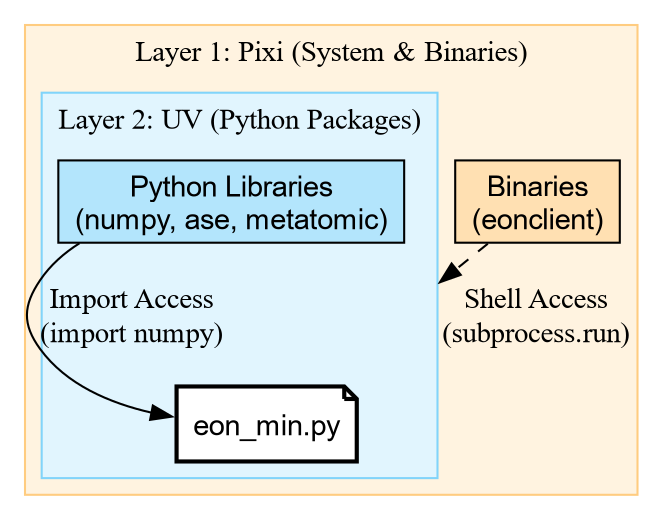
Diagram showing the nested layers: Pixi
providing system binaries like eonclient, wrapping UV which provides
Python libraries like numpy, both supporting the script
Modules, Packages, and The Search Path
Figure 1
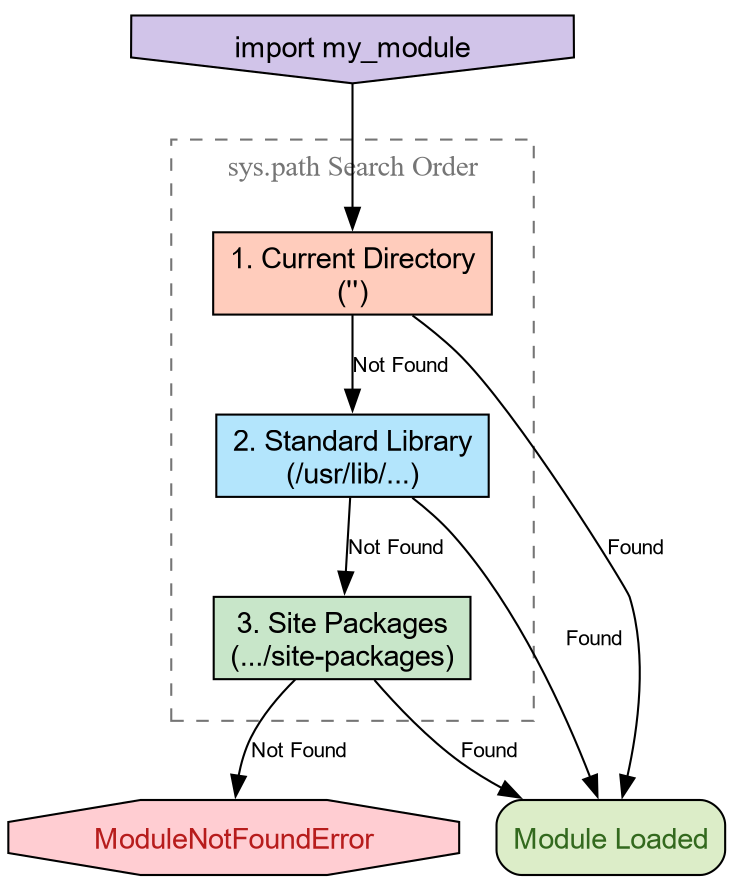
Search order for packages
Figure 2
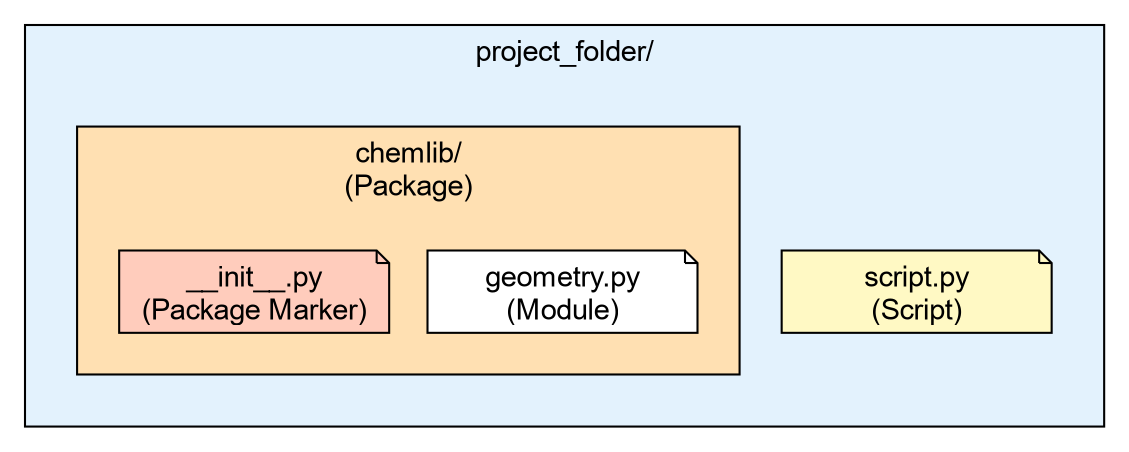
Directory structure for current setup
The Project Standard: pyproject.toml
Figure 1
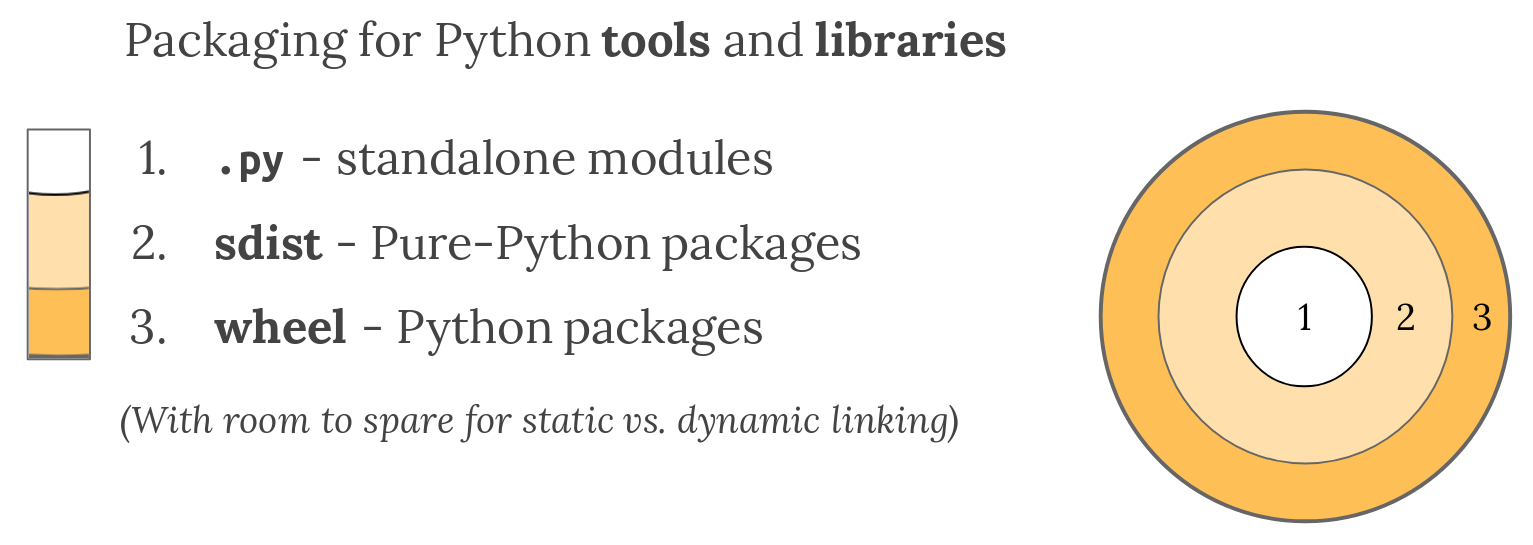
The packaging gradient, from the Hashemi PyBay’17
and Goswami PyCon
2020 presentation
Figure 2
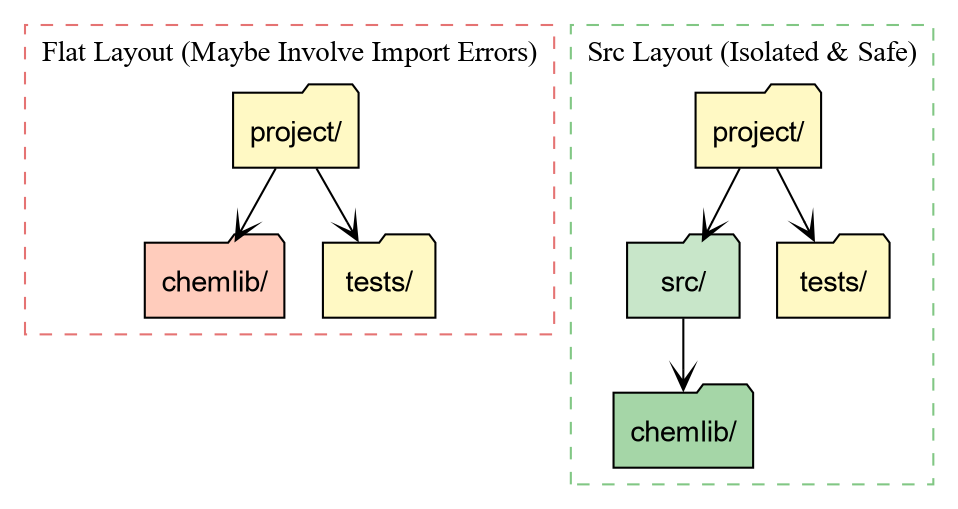
Comparison of Flat Layout vs Src Layout folder
structures
Figure 3
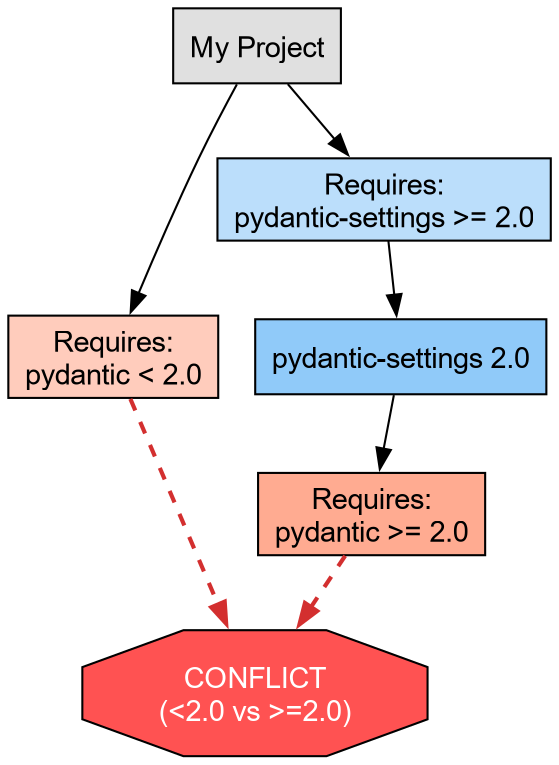
Graph showing two dependencies requiring
incompatible versions of pydantic
Quality Assurance: Testing and Linting
Figure 1
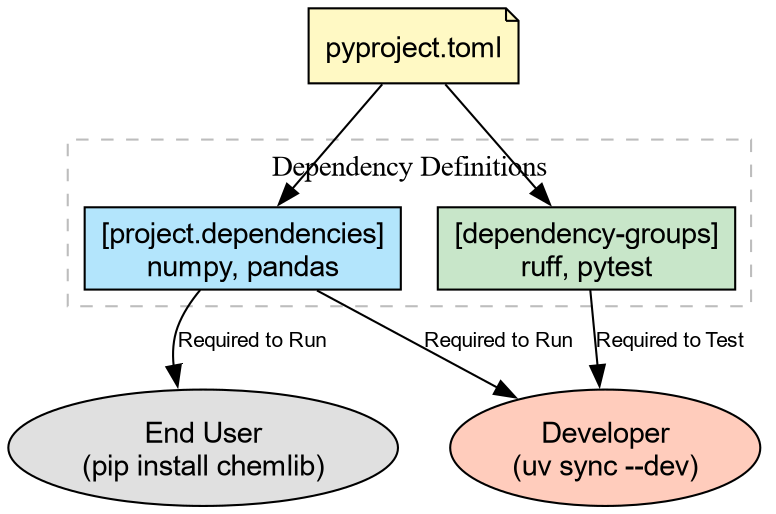
Diagram showing how end users only get runtime
dependencies while developers get both runtime and dev tools
Figure 2

Flowchart showing git commit triggering ruff
checks, which either pass to the repo or fail and require fixes
The Changelog ProblemBuilding ArtifactsPublishing to TestPyPIAutomating Release (GitHub Actions)
Figure 1
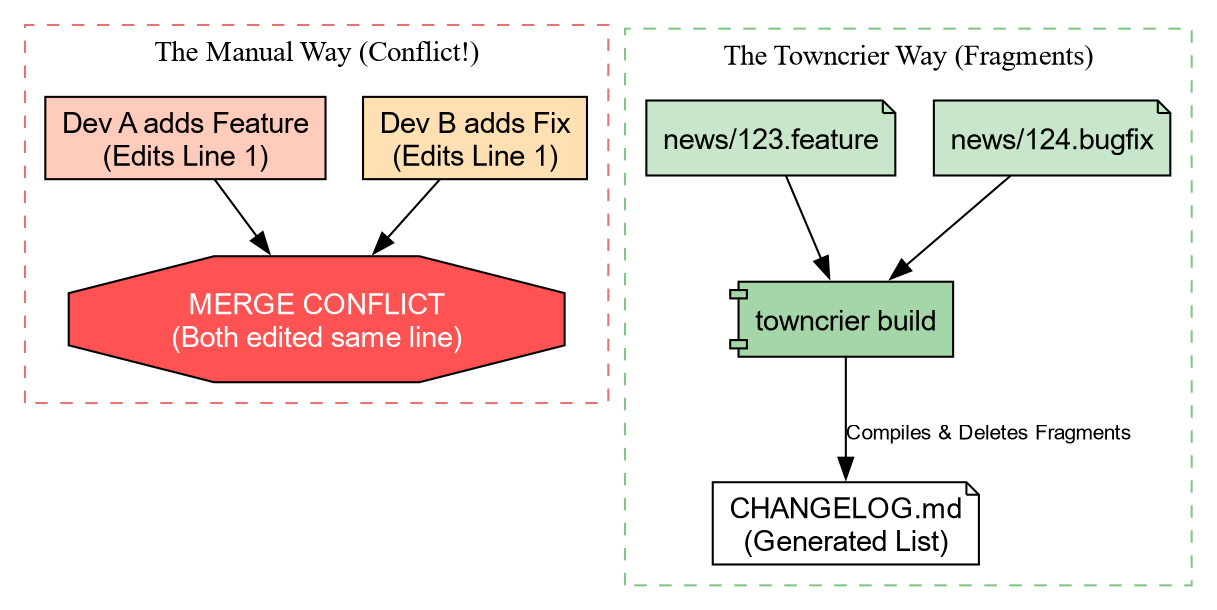
Comparison diagram showing manual changelog
edits causing merge conflicts versus towncrier compiling separate
fragment files
Figure 2
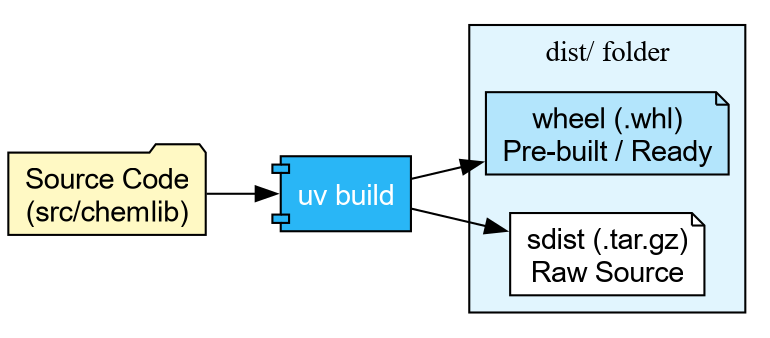
Flowchart showing source code processed by uv
build into sdist tarball and wheel file
Figure 3

Figure 4

Sequence showing developer using uvx twine with
an API token to upload artifacts to TestPyPI
If It Isn't Documented, It Doesn't ExistThe Documentation GapWriting Good DocstringsSetting Up SphinxBuilding the DocumentationDeploying to the Web
Figure 1
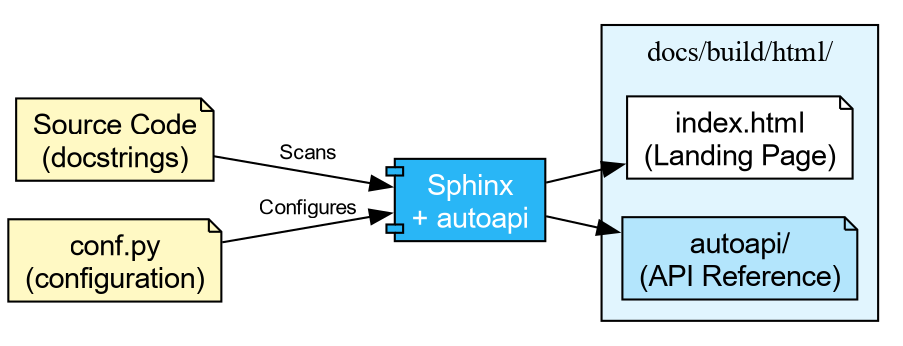
Diagram showing source code with docstrings and
conf.py feeding into Sphinx with autoapi, producing an HTML site with
index and API reference pages
Figure 2

Diagram showing a PR triggering docs.yml, which
uploads an artifact, then pr_comment.yml downloading it and posting a
preview link as a PR comment
The Gatekeeper: Continuous IntegrationThe Limits of Local HooksAnatomy of a Workflow FileThe Test MatrixConnecting CI to Releases
Figure 1

Flowchart showing a developer pushing code,
GitHub Actions running checkout, install, lint, and test steps, then
either allowing merge or blocking
Figure 2

Figure 3
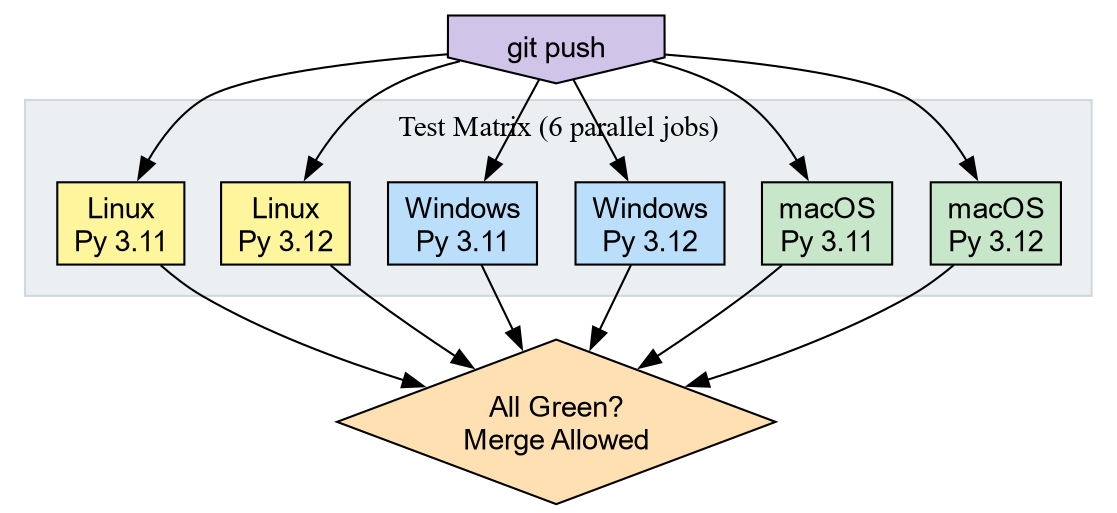
Diagram showing a git push triggering six
parallel CI jobs across two Python versions and three operating systems,
all feeding into a merge decision
Compiled Extensions: The Shared Object Pipeline
Figure 1
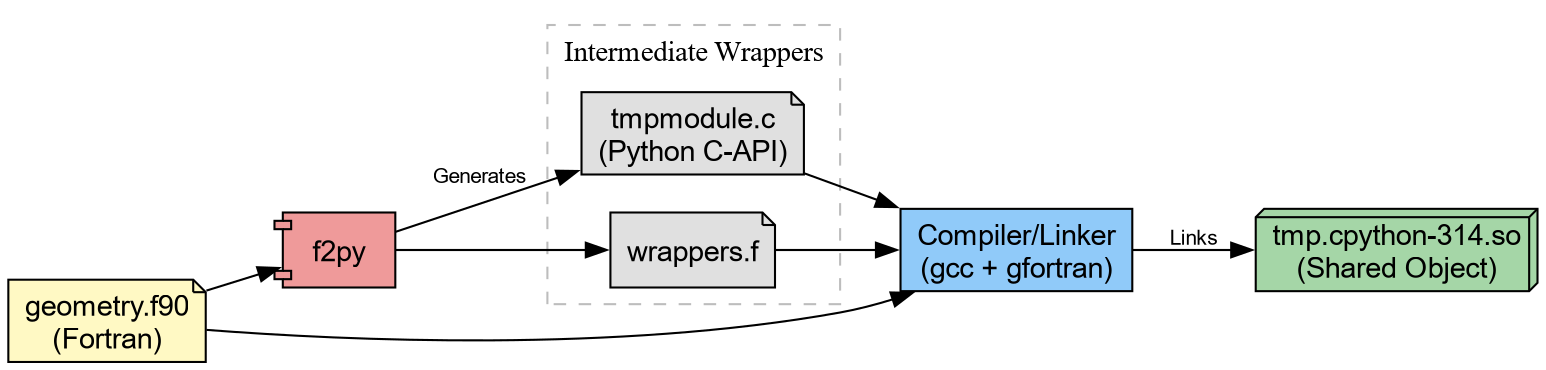
Flowchart showing f2py converting Fortran source
into C wrappers, which are then compiled into a shared object
Figure 2
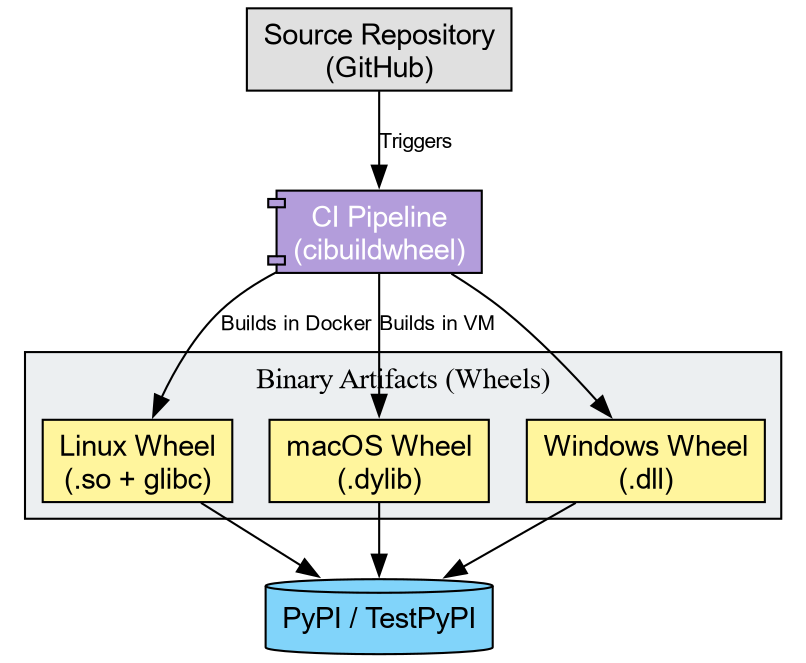
Diagram showing a single source repository being
split by cibuildwheel into multiple OS-specific binary wheels uploaded
to PyPI